7 Tips for Choosing the Best Digital Spirit Level
Choosing the right Digital Spirit Level can make alignment work faster, cleaner, and easier to verify. A reliable model helps when installing shelves, setting cabinet doors, checking wall frames, or leveling equipment on uneven floors. Yet accuracy is not the only concern. Screen visibility, calibration quality, battery life, and physical durability can affect results during real projects.
A practical buyer should examine measurement range, resolution, and tolerance claims carefully. Look for clear specifications from established manufacturers and independent user feedback. A level that reads accurately in a quiet workshop may perform differently under bright sunlight or construction dust. Test it on a known flat surface before trusting its readings. Small checks matter.
The best choice depends on your hands, workspace, and typical tasks. A compact tool may fit narrow spaces, while a longer model can reveal broader surface errors. Some units offer audible alerts, memory functions, and multiple measurement modes. These features sound helpful, but they may increase cost and battery use. More functions are not always better. The following seven tips focus on useful evidence, practical handling, and common mistakes, helping you choose a Digital Spirit Level with greater confidence. Even experienced users can overlook calibration drift or rely too heavily on a bright digital display. That deserves reflection.
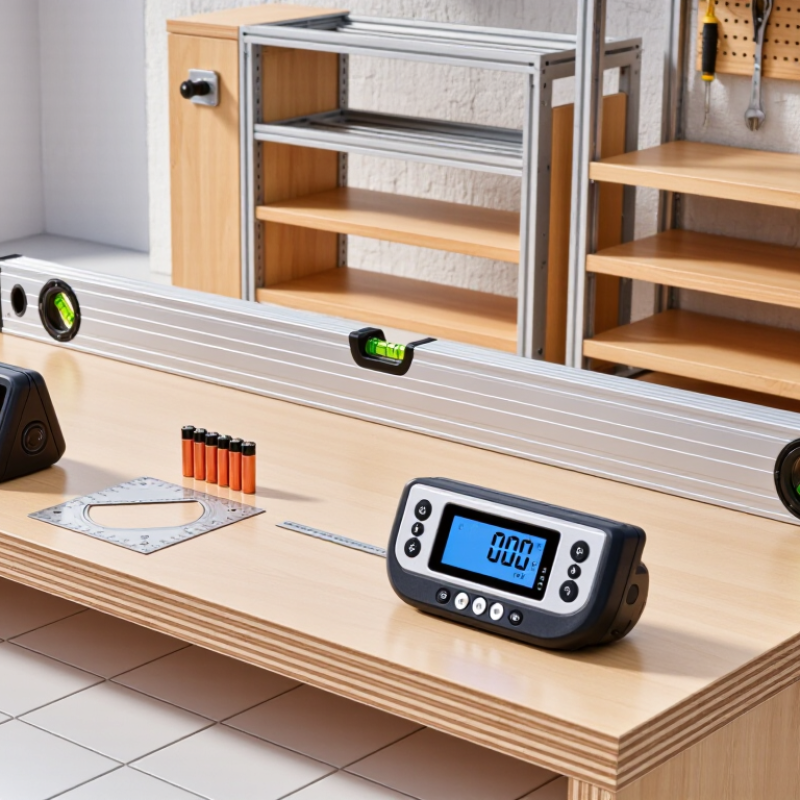
Understanding Digital Spirit Level Features and Measurement Principles
7 Tips for Choosing the Best Digital Spirit Level
A digital spirit level measures inclination through an internal accelerometer, then converts gravity’s direction into an angle or percentage. The display is not magic. It compares the sensor’s position with the vertical gravity vector, so vibration, temperature, and surface dirt can affect readings. NIST Special Publication 811 defines one degree as π/180 radians, a useful conversion when comparing degree and percentage displays.
Check resolution, accuracy, calibration access, and the measuring range. A tool showing 0.1° may still have an accuracy of ±0.2°, which matters on cabinet rails or drainage pipes. In practice, place it on a clean reference surface, rotate it 180 degrees, and compare both readings. They should be close. Mine were not always identical, and that exposed a calibration issue I had overlooked.
NIST Technical Note 1297 recommends combining Type A and Type B uncertainty sources. It also uses a coverage factor of k=2 for an expanded uncertainty of roughly 95%. Look for similar information in the instrument’s test documentation. A strong level should offer audible alerts, a readable backlight, durable edges, and stable readings after the unit settles. More features can help. They can also distract. Temperature compensation, battery condition, and sensor drift deserve attention, especially during long installation work.
Assessing Accuracy, Calibration, and Measurement Range
When choosing a digital spirit level, accuracy should guide every decision. Check the stated tolerance, such as ±0.1° at 0° and 90°. A smaller tolerance usually indicates better control. However, printed specifications are not proof of real performance. I test levels on a stable granite surface before trusting them on cabinets or shelves.
Calibration must be simple and repeatable. Choose a model with a clear calibration procedure and an audible confirmation. Place it on a known flat surface, record the reading, then rotate it 180 degrees. The result should remain consistent. If it changes noticeably, recalibration may be necessary. I once skipped this test and installed a shelf with a slight, visible tilt. That mistake was small but avoidable.
Consider the measurement range as carefully as accuracy. A level limited to 0°–90° may suit wall frames, while broader ranges help with ramps, pipes, and angled roofs. Confirm the resolution, too. A display showing 0.1° offers more detail than one showing only whole degrees. Look for readable digits in dim rooms, a hold function, and a battery indicator. Test the device at several angles, not only on a perfectly horizontal surface. Keep the physical edge clean. Dust can create a false reading. No tool is flawless, and personal handling still affects results.
Choosing the Right Display, Controls, and Smart Functions
Choosing the best digital spirit level starts with its display. Large, high-contrast digits remain readable beside dusty walls or bright windows. A rotatable screen helps when measuring overhead or at awkward angles. Backlighting is useful, but excessive brightness can drain the battery quickly. I prefer displays with clear degree, percentage, and pitch modes. Keep it simple.
Controls should work with gloves and one hand. Tactile buttons are safer than tiny touch controls on a busy site. The Associated General Contractors’ 2024 Workforce Survey reported that 94% of construction firms struggled to fill open positions. That pressure makes quick, intuitive tools more valuable. Look for a hold button, audible alerts, automatic orientation, and a lock function. I once ignored button layout and wasted time changing modes. That was my mistake.
Smart functions should reduce errors, not create new distractions. Bluetooth records can help document slopes, while memory functions support repeated checks. Deloitte’s 2024 Smart Manufacturing and Operations Survey found that 86% of executives view smart manufacturing as important to competitiveness. Still, connectivity is not automatically useful. Check pairing speed, app stability, offline operation, and battery life. Calibration reminders and a visible accuracy specification deserve attention. NIST measurement guidance stresses that uncertainty matters, even when a reading looks precise. A bright screen cannot fix poor calibration. Calibration matters.
7 Tips for Choosing the Best Digital Spirit Level - Choosing the Right Display, Controls, and Smart Functions | Tip | Selection Dimension | Recommended Specification | Why It Matters | Practical Check |
| 1 | Choose a Clear Display | Backlit LCD or LED display with large, high-contrast digits and selectable viewing modes | A readable display reduces errors in dim areas, bright sunlight, and awkward working positions. | View the display from the front, side, and at an angle before purchasing. |
| 2 | Verify Measurement Accuracy | Typical digital accuracy of approximately ±0.1° at 0° and 90°; confirm the stated test conditions | Accuracy specifications can vary by angle, temperature, and measurement method. | Check the technical datasheet and compare readings against a known level surface. |
| 3 | Look for Useful Controls | Dedicated buttons for power, mode, hold, audio alerts, and calibration | Simple controls allow quick adjustments while wearing gloves or working overhead. | Confirm that frequently used functions can be accessed without navigating complex menus. |
| 4 | Consider Audible and Visual Alerts | Adjustable or muteable beeper with clear level indicators near 0° and 90° | Audio and visual feedback can help when the display is difficult to see or when both hands are occupied. | Test the alert volume and verify that it can be disabled in quiet environments. |
| 5 | Evaluate Smart Functions | Hold function, angle memory, relative-angle mode, and automatic screen rotation | These functions simplify repeated measurements and improve usability in changing positions. | Prioritize functions that match the work rather than selecting features that will rarely be used. |
| 6 | Check Construction and Protection | Rigid measuring surface, impact-resistant housing, sealed keypad, and a stated water or dust rating when needed | Durable construction helps maintain accuracy during transport and routine job-site use. | Inspect the base for straightness, examine the protective edges, and verify the published IP rating. |
| 7 | Balance Battery Life and Maintenance | Replaceable batteries or rechargeable power, low-battery warning, automatic shutoff, and accessible calibration instructions | Reliable power and easy calibration reduce interruptions and help preserve measurement confidence. | Check expected operating time, charging requirements, battery availability, and calibration procedure. |
Comparing Durability, Power Options, and Ease of Use
7 Tips for Choosing the Best Digital Spirit Level
Durability starts with the worksite, not the product box. Choose a reinforced frame, sealed buttons, and a readable display. An IP54 rating, defined by IEC 60529:2013, offers limited dust protection and resistance to splashing water. It does not protect against rain, mud, or careless drops. I learned this the hard way. A level can survive a fall yet lose calibration. Check the manufacturer’s stated drop-test method and inspect the vial housing for cracks.
Power options affect daily reliability more than many buyers expect. Models using replaceable AAA batteries are practical during long installations. Rechargeable units reduce battery waste but may fail when charging access is limited. The U.S. Department of Energy’s 2023 battery report highlights the importance of temperature and charging conditions on battery performance. Keep spare batteries in a dry pouch. Small detail. Also check whether the display dims automatically. Bright screens consume power quickly, especially outdoors.
Ease of use means more than large numbers. Look for audible alerts, a backlit display, and simple angle switching. A display readable from a ladder saves awkward movement and reduces mistakes. NIST Technical Note 1297 explains that measurement results include uncertainty, so advertised precision should not replace calibration checks. Test the level against a trusted reference before critical work. I sometimes prefer a less sophisticated model because fewer controls mean fewer distractions. That choice is imperfect, but practical. A magnetic base helps on steel surfaces, while a strong case protects the sensor during transport.
Matching the Level to Your Projects, Budget, and Working Conditions
7 Tips for Choosing the Best Digital Spirit Level
Match the level to the work, not the advertisement. For cabinet installation, choose a compact model with clear readings and fine resolution. Longer levels suit walls, flooring, and framing because they reduce small surface errors. I prefer a sturdy body when working around rough timber. Cheap plastic can flex. That detail matters.
Your budget should reflect accuracy, durability, and repair needs. Occasional home repairs may require only basic angle readings. Daily construction work deserves a stronger frame, protected controls, and a dependable display. Check battery access before buying. A level that dies halfway through installation becomes expensive in time. Test the unit against a known flat surface before serious use. Calibration can drift.
Working conditions often decide the best choice. Bright sunlight demands a high-contrast screen or audible alerts. Gloves favor large buttons. Dust and light moisture require suitable protection, but no device is careless-proof. A magnetic base helps on steel, while it may scratch finished surfaces. Select the right length for storage and transport. Shorter is easier in a toolbox; longer is steadier on a wall. I once chose portability over reach and regretted it during floor preparation. That mistake still influences my recommendations. Readability, grip, accuracy, battery life, and service support deserve equal attention. Specifications help, but hands-on checks reveal more.
Choosing the Best Digital Spirit Level for Your Project
Typical recommended level length by project type, balancing accuracy, portability, working conditions, and budget.
Compact 9–12 inch digital levels suit cabinets, shelves, and tight spaces. A 24-inch model is a versatile choice for general indoor work, while 48-inch levels are better for long surfaces, landscaping, and outdoor grading. Longer levels generally improve consistency across extended surfaces but cost more and are less convenient to carry.


