What Are the Top Small TFT Displays for Your Project?
A small screen can make a handheld meter easier to read, but the wrong module can complicate an otherwise simple design. A Small Tft Display should be judged by more than its diagonal measurement. Resolution, viewing angle, brightness, interface, and power use all affect how it performs in a real enclosure. A crisp 240-by-240 image may suit a compact control panel, while a wider display can show longer labels without constant scrolling. Small details matter.
This guide compares common small TFT options for prototypes and finished products, including compact IPS and standard LCD modules. It explains what different panel sizes offer, how SPI and parallel interfaces affect wiring and refresh, and when touch capability is worth the added cost. A bright screen may look impressive on a workbench, then become hard to read through a tinted cover. Check the complete assembly. Connector placement and viewing direction can matter just as much as pixel count.
There is no single best display for every project. That sounds obvious, but product lists often make selection seem simpler than it is. The recommendations here focus on practical trade-offs: readability, available space, controller support, and integration effort. You will also find questions to verify in a datasheet before ordering, such as operating voltage and specified viewing conditions. Datasheets are useful, though they do not replace testing the screen in its intended lighting and enclosure. A quick bench test can save a redesign.
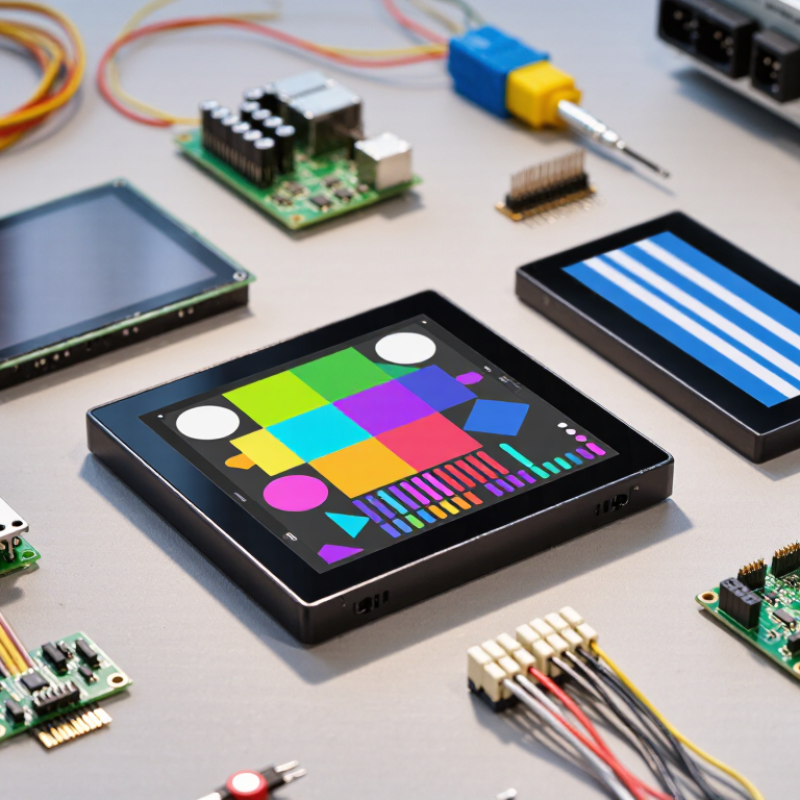
Define Small TFTs: 0.96–5.0-Inch Modules Across Common Product Lines
Small TFT displays usually span 0.96 to 5.0 inches, but that range covers very different jobs. A 0.96-inch module can fit a compact sensor or handheld control, where a few clear readings matter more than decorative graphics. Around 1.8 to 2.4 inches, menus and simple icons become easier to read. Modules near 3.5 to 5.0 inches can support richer interfaces, though they need more enclosure space and power. Bigger is not always better.
Compare active area, resolution, viewing angle, and interface before choosing. A 1.3-inch screen with crisp text may suit a meter better than a larger, lower-resolution panel. Check whether the module uses SPI, parallel, or another interface; your controller and update speed can narrow the options quickly. Touch adds convenience, but it also affects thickness, wiring, and cost. Measure the visible screen, not just the module’s outer dimensions. Small details matter.
Common product lines often offer several sizes with related pinouts or controller options, which can simplify prototypes and later revisions. Still, “compatible” does not guarantee identical firmware behavior. Review the datasheet, confirm voltage levels, and test the display under expected lighting. A bright workshop can expose weak contrast. A tidy specification table can mislead. It happens. The best size is the one users can read comfortably inside the actual device.
Compare Resolution: ST7735S 128×160 and ILI9341 240×320 Datasheets
What Are the Top Small TFT Displays for Your Project?
The ST7735S drives a 128×160 image, while the ILI9341 supports 240×320. That means 20,480 pixels versus 76,800 pixels per frame. The larger panel can show finer labels, denser menus, and more detailed icons. The smaller option may suit compact meters or simple status screens. Resolution alone does not determine display quality.
Check each datasheet for interface options, supported pixel formats, timing limits, and memory requirements. A 240×320 image contains nearly 1.9 times as many pixels, so updates can demand more data. Actual module dimensions, pin layouts, and viewing angles vary; verify the specific module sheet before designing a case or circuit. I still check the pin mapping twice. Small details matter.
Tips: Sketch your smallest text at actual screen size. If it looks cramped, choose the higher resolution or simplify the interface. Also compare the controller’s listed supply and logic voltages with your board. Datasheets can be easy to misread, and I have missed a footnote before.
What Are the Top Small TFT Displays for Your Project? — Compare Resolution: ST7735S 128×160 and ILI9341 240×320 Datasheets
| Specification | ST7735S Display | ILI9341 Display |
| Common active resolution | 128 × 160 pixels | 240 × 320 pixels |
| Active pixel count | 20,480 pixels | 76,800 pixels |
| Typical screen orientation | Portrait; can be rotated through display addressing settings | Portrait; can be rotated through display addressing settings |
| Common color formats | RGB565 (16-bit) and RGB666 (18-bit) | RGB565 (16-bit) and RGB666 (18-bit) |
| Maximum color depth | Up to 262,144 colors in 18-bit mode | Up to 262,144 colors in 18-bit mode |
| Display data interfaces | Serial interface options and parallel interface options; availability depends on the display configuration | Serial interface options and 8-, 9-, 16-, or 18-bit parallel interface options |
| Approx. image data for one RGB565 frame | 40,960 bytes (about 40 KiB) | 153,600 bytes (about 150 KiB) |
| Relative pixel detail | Baseline; suitable for compact interfaces and simple graphics | 3.75× the pixel count of 128 × 160; supports more detailed graphics and text |
| Typical project fit | Small status screens, basic menus, icons, and low-resolution interfaces | More detailed menus, larger fonts, charts, and image-rich interfaces |
| Key design consideration | Lower pixel count can reduce image storage and the amount of display data sent | Higher pixel count provides more detail but requires more image storage and display data |
Note: Resolutions shown are common active resolutions for display modules using these controllers. Actual module dimensions, pinout, voltage requirements, interface availability, and viewing characteristics depend on the specific panel and module design.
Estimate Pixel Density: 2.4-Inch 240×320 Panels Reach About 167 PPI
A 2.4-inch panel with 240 × 320 pixels has about 167 pixels per inch. The calculation uses the diagonal pixel count:
√(240² + 320²) = 400 pixels, then 400 ÷ 2.4.
That density can make small labels and menu icons look crisp at arm’s length. The Society for Information Display’s International Display Measurement Standard provides methods for measuring display performance, while ISO 9241-303:2011 addresses ergonomic requirements for electronic visual displays. Both are useful reminders that resolution alone does not determine readability.
Still, PPI is not the whole story. At 167 PPI, a one-pixel line is physically about 0.15 millimeters wide, but contrast, font design, viewing distance, and scaling affect what users actually see.
A dim screen in a sunlit workshop may feel less readable than the number suggests. Check the panel’s brightness and viewing angles alongside its pixel density, then test the smallest text on the actual device.
A little imperfect. That test can reveal awkward menus or icons that look fine in a drawing but blur on glass.
Choose the Bus: ILI9341 Supports SPI and 8-/16-Bit Parallel Interfaces
What Are the Top Small TFT Displays for Your Project?
A compact TFT can fit neatly beside a microcontroller on a handheld instrument or control panel. With an ILI9341 display, the bus choice affects wiring, update speed, and how many pins remain available. SPI uses fewer signal wires, which helps when the board is crowded or the display cable is longer. It is often a practical choice for menus, readings, and simple animations. The trade-off is slower data transfer than a well-configured parallel connection.
The ILI9341 also supports 8-bit and 16-bit parallel interfaces. These transfer more data per operation, making them useful for faster screen updates, such as drawing large images or moving graphics. They require more data pins, though, and careful wiring matters. Check the specific module’s pinout and documentation before choosing: not every breakout exposes every interface. That detail is easy to miss. Also confirm the logic voltage and timing requirements; controller support alone does not guarantee a module is ready for your setup.
Tips: Count available GPIO pins before ordering. For SPI, keep wires short and test the display with a small drawing routine first. For parallel, verify each data line and control signal with a simple color-fill test. Measure actual refresh performance in your project. A theoretical speed advantage may disappear if wiring or software adds delays.
Choosing a Bus: ILI9341 Interface Data Width
At the same clock rate, an SPI data line transfers 1 bit per clock, while 8-bit and 16-bit parallel buses transfer 8 and 16 bits, respectively. These are theoretical bus-width comparisons; actual display performance depends on clock speed, command overhead, and software implementation.
Rank Project Fit by Datasheet Brightness, Viewing Angle, and Power Draw
For a small TFT display used indoors, a 250–350 cd/m² panel is often the practical choice. It suits a handheld meter or a control screen beside a machine. Lower brightness can reduce backlight demand, though sunlight near a window may wash out the image. Check the viewing-angle specification, not just the panel size. A display with broad horizontal and vertical angles stays readable when mounted off-center.
For bright indoor spaces, rank panels around 500 cd/m² higher. They can handle glare from overhead lights, but brightness alone does not guarantee easy reading. Compare power draw at the stated operating conditions, since the backlight may use more power than the display electronics. Small numbers matter here. A battery-powered sensor may need a dimmer panel, while a wall-powered controller can tolerate a brighter one.
For outdoor use, consider panels rated near or above 800 cd/m², then verify viewing-angle and power figures together. High brightness can improve daylight visibility, but it may shorten battery life or add heat. Datasheets do not always use identical test conditions, so compare voltage, backlight setting, and measurement method where available. A ranking can still mislead. I would prototype the leading option at the actual mounting angle; that detail is easy to overlook.


